


Page 5 - D-200+ User Guide
P. 5
Installing plug-in accessories

      Headsets, Microphones and Bluetooth
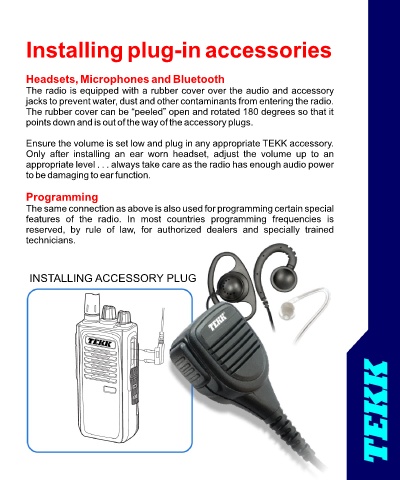
      The radio is equipped with a rubber cover over the audio and accessory
      jacks to prevent water, dust and other contaminants from entering the radio.
      The rubber cover can be “peeled” open and rotated 180 degrees so that it
      points down and is out of the way of the accessory plugs.

      Ensure the volume is set low and plug in any appropriate TEKK accessory.
      Only  after  installing  an  ear  worn  headset,  adjust  the  volume  up  to  an
      appropriate level . . . always take care as the radio has enough audio power
      to be damaging to ear function.

      Programming
      The same connection as above is also used for programming certain special
      features  of  the  radio.  In  most  countries  programming  frequencies  is
      reserved,  by  rule  of  law,  for  authorized  dealers  and  specially  trained
      technicians.


      INSTALLING ACCESSORY PLUG

